MacXTools

EML Converter for Mac

MacXTools EML Converter is a standalone Mac EML converter tool that batch converts EML and EMLX files on macOS. It exports messages saved by Apple Mail, Thunderbird, Windows Live Mail and Outlook Express to eight formats including PST, MBOX, PDF and MSG. No mail client has to be installed.

No registration and no upload. Conversion happens on the Mac doing the work. See the screens first.

  • EML and EMLX together
  • No mail client needed
  • No file count limit
  • Runs entirely offline
Supported sources

Mac EML Converter file support

  • Apple Mail
  • Mac Mail
  • Mozilla Thunderbird
  • Windows Live Mail
  • Outlook Express
  • eM Client
  • SeaMonkey
  • Opera Mail
  • Postbox
  • Mailbird
  • Zimbra Desktop
  • IBM Verse
Features

Features of the Mac EML Converter

Preserves email content, structure and properties throughout the EML conversion process.

Keeps the source EML files unchanged

Reads the source and writes nothing back to it. Timestamps and byte content on the source folder match after conversion, which matters where the same set has to be produced again later.

Maintains message headers and metadata

Carries Internet headers through the conversion unaltered. The routing record and the message metadata remain available for examination in the output.

Maintains the source folder hierarchy

Rebuilds the source directory layout at the destination through the Maintain Folder Hierarchy option. Disabling it writes a flat output for a destination that expects a single level.

Exports attachments as separate files

Writes documents, spreadsheets and images attached to a message as individual files at the destination rather than leaving them enclosed in the message body.

Preserves inline images and their quality

Keeps images embedded in the message body in position. Pixel dimensions and quality are carried across without resampling.

Holds HTML and RTF email formatting

Retains colour, layout and typeface through the conversion. A formatted message is written as a formatted message rather than reduced to plain text.

Converts EML and EMLX in one pass

Loads the EMLX variant written by Apple Mail through the same filter as plain EML. A folder holding both extensions requires one pass and one tool.

Converts EML files of any size or number

Imposes no limit on the size of an individual message or on how many are converted at once. A folder holding thousands takes longer to process and nothing more.

Runs without an email client installed

Reads the files directly with no supporting application. Apple Mail, Thunderbird and Outlook can all be absent from the Mac.

Converts entirely offline on the Mac

Processes every file on local hardware. Nothing is transmitted, no account is registered and no remote service takes part.

Offers multiple output naming patterns

Titles each written file by a selected pattern, from the subject alone up to a combination carrying the date and the sender. Auto increment covers a folder where the same subject repeats.

Splits the resultant PST file

Writes a PST destination in parts rather than as one continuous file, which keeps each resulting data file to a manageable size.

Screenshots

Mac EML Converter screenshots

Screens from the MacXTools EML Converter, covering the Add File and Add Folder routes into the load list.

Advanced settings

Advanced settings and filters

Controls which messages are converted and how the output is named and written.

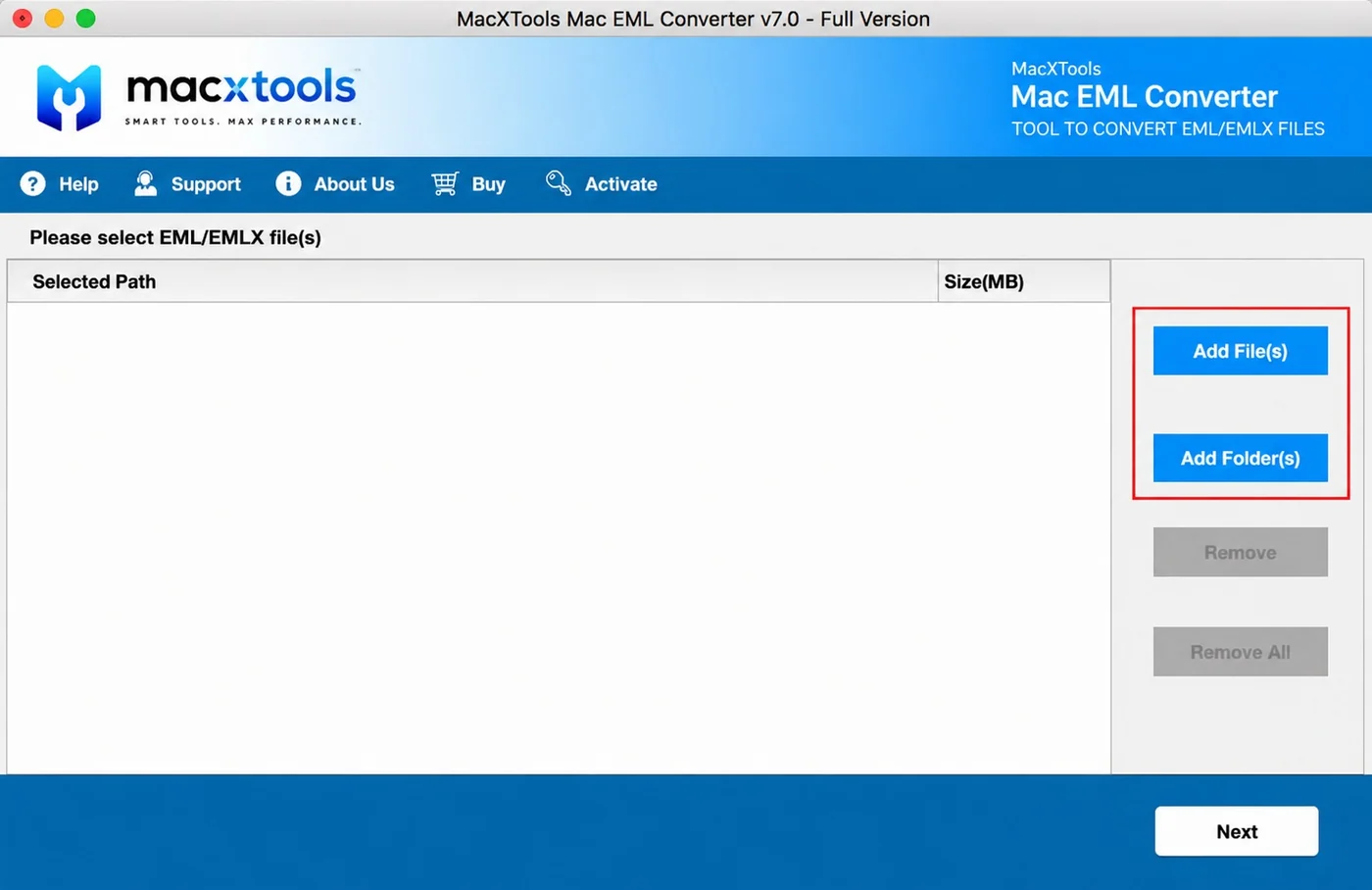
Adds EML data through two modes

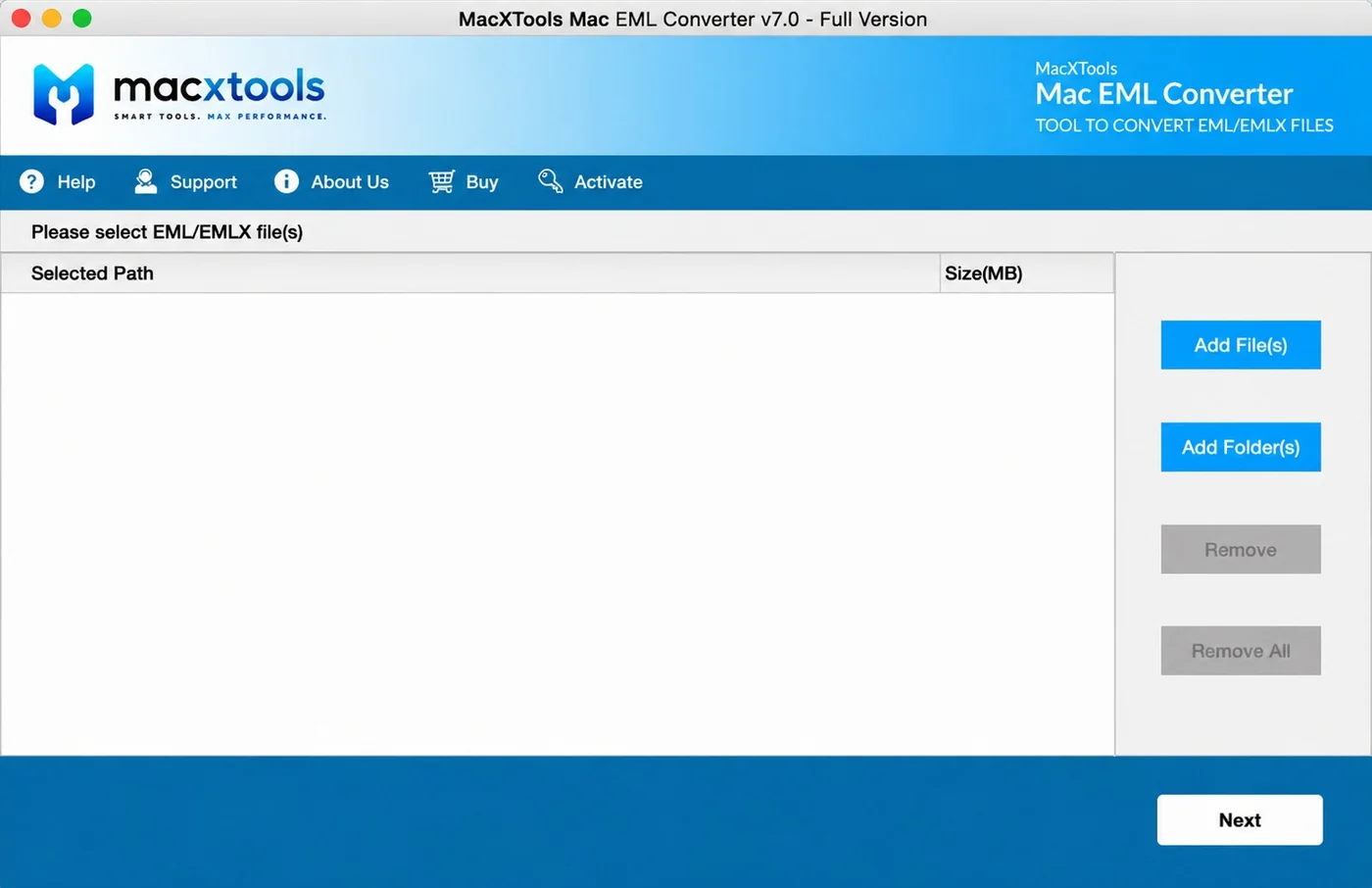
Two buttons fill the load list. The mode chosen decides whether messages or directories are accepted.

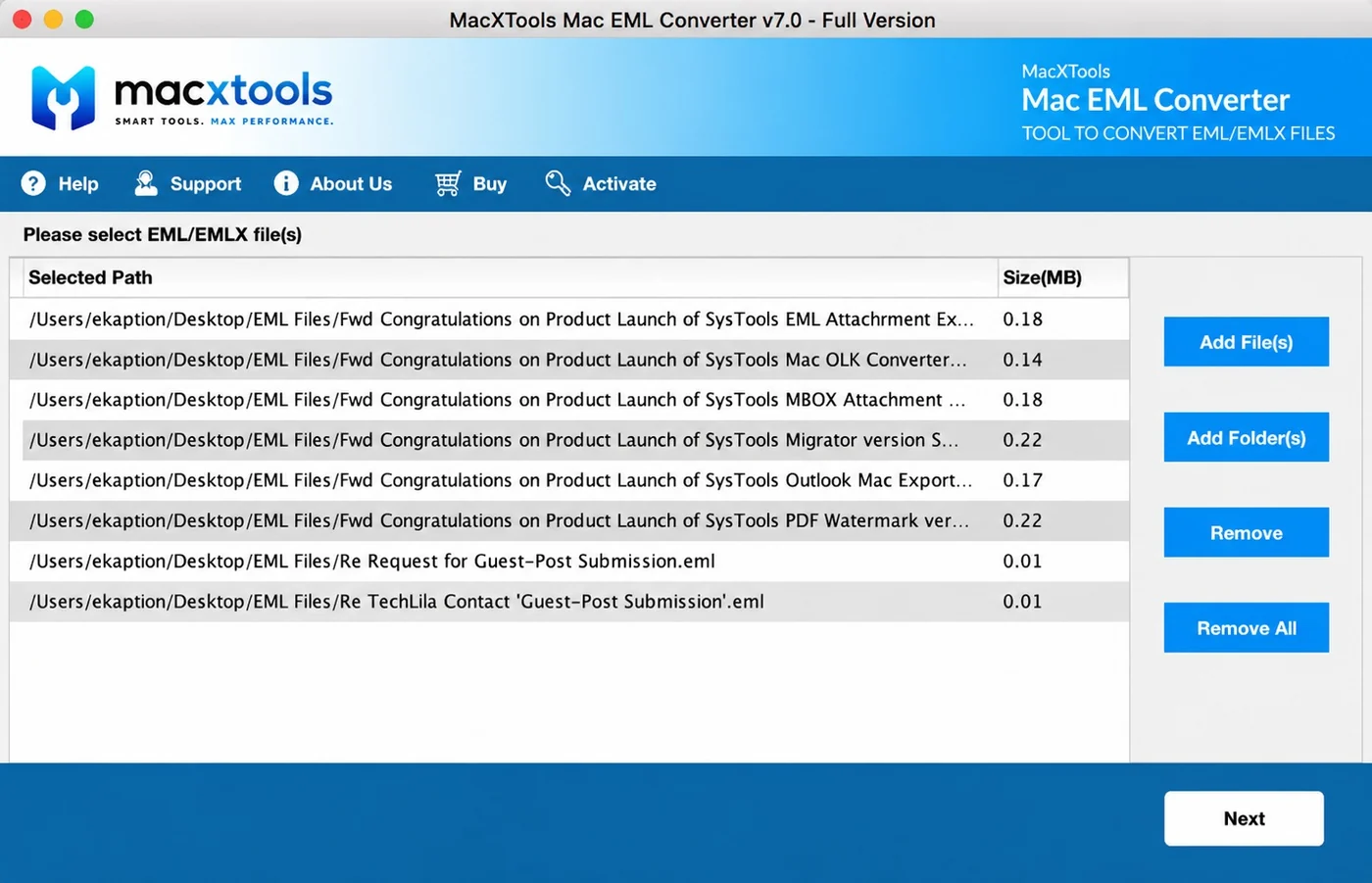
  • Add File(s). Takes individual EML or EMLX messages.
  • Add Folder(s). Takes a directory and collects every supported file inside it.
  • Remove and Remove All. Clear one entry or the whole list. Both stay inactive until something is queued.
  • Path and size. Every row carries a Size(MB) figure next to its path.
Add File and Add Folder buttons in the Mac EML Converter

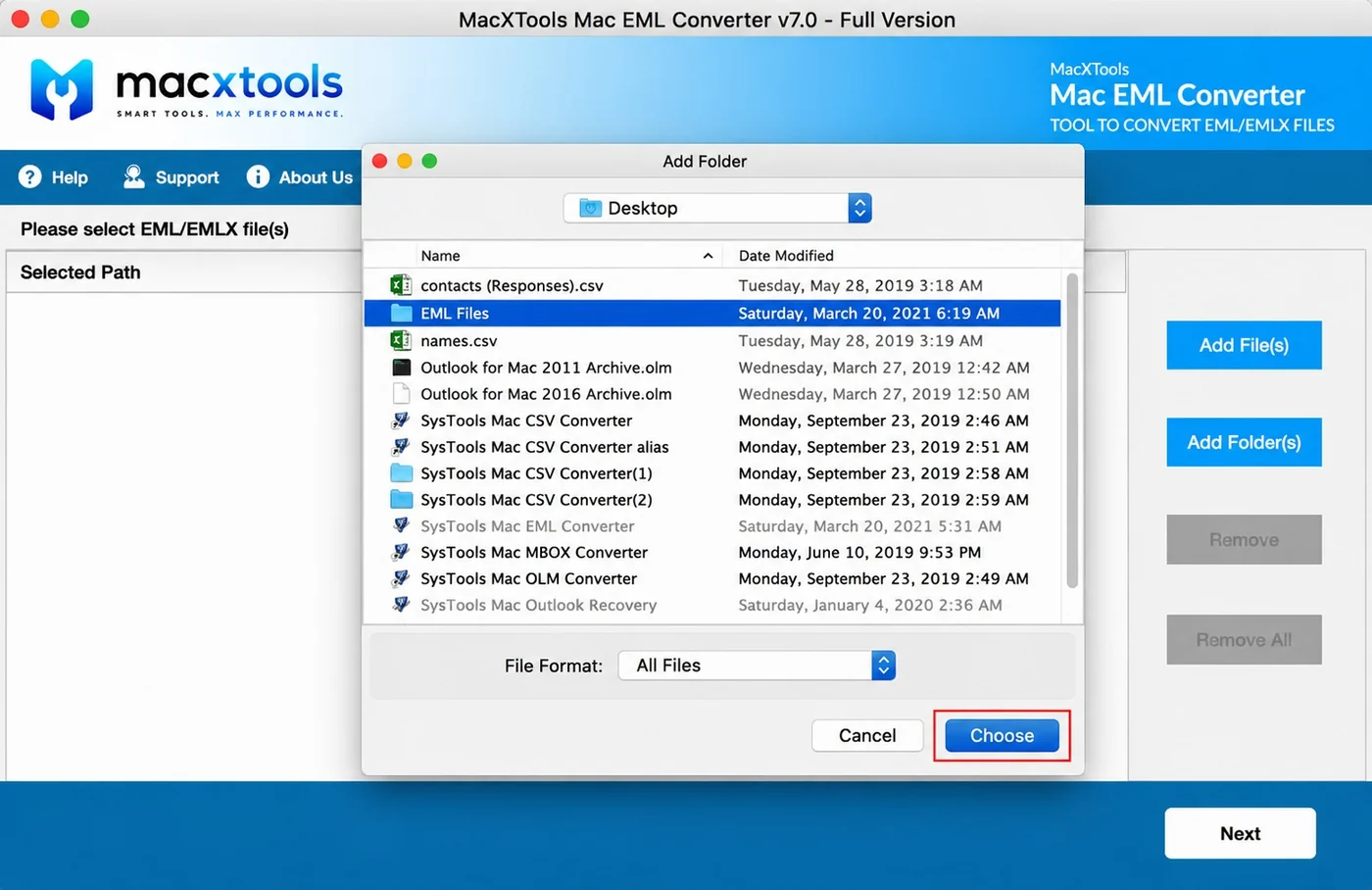
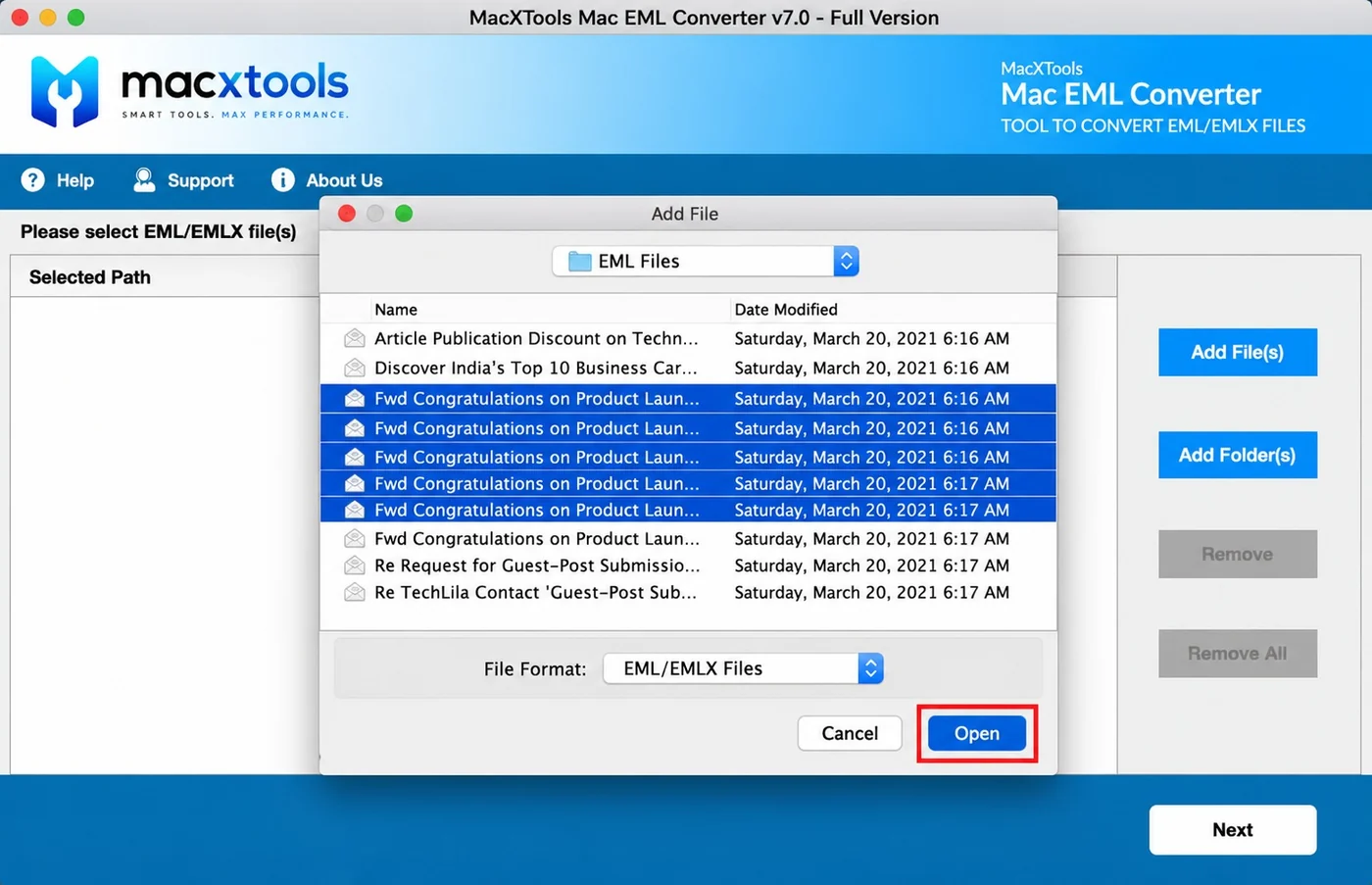
Filters the picker to EML and EMLX

One filter covers both extensions, so a folder holding a mixture of the two needs no second pass.

  • Single filter. File Format is set to EML/EMLX Files, a single option covering both extensions.
  • Multiple selection. Several messages can be highlighted and taken in together.
  • Folder mode. Choosing Add Folder(s) switches the same dropdown to All Files, because a directory is being picked.
  • Browsable folders. Directories stay open so messages can be selected from inside them.
macOS file picker filtered to EML and EMLX Files in the Mac EML Converter

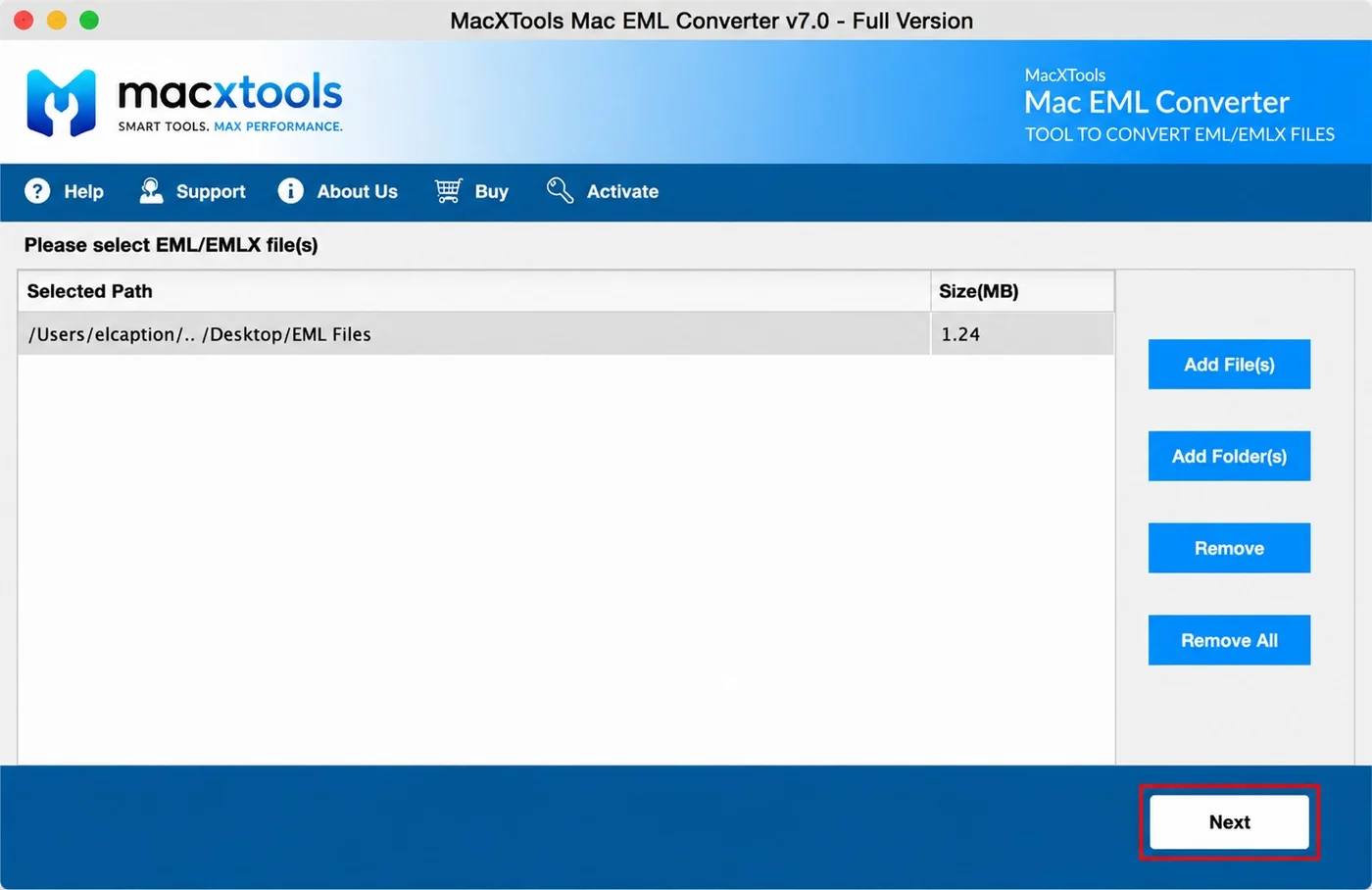
Queues a whole folder as one entry

A directory is accepted as a single row rather than as thousands of separate ones, which is what makes a large set practical.

  • One row per folder. The entry carries the combined size of everything inside it.
  • No count limit. A folder holding thousands of messages takes longer to process and nothing more.
  • Clearing buttons. Remove and Remove All turn active once the list holds entries.
  • Next. Starts the export stage once the list is correct.
A whole EML folder queued as one entry with its combined size
Saving options

Mac EML Converter saving options

Exports EML and EMLX to mail containers for importing, to message formats for single items and to document formats for reading without a mail client.

FormatOpened byThe case for it
PSTMicrosoft Outlook on Windows and on MacThousands of loose messages have to become one Outlook data file
MBOXApple Mail, Thunderbird, PostboxA directory of separate files has to become one importable mailbox
EMLXApple MailThe destination is the Apple Mail store on a Mac rather than an import dialogue
MSGOutlook and Exchange mailboxesIndividual messages stay openable in Outlook with no import step first
EMLThunderbird, eM Client, most desktop clientsThe messages are already EML and only the naming or the folder layout has to change
PDFPreview, Acrobat, any document systemMessages become paginated documents for filing, review or printing
HTMLAny web browserThe recipient reads the mail with no client installed and nothing to install
TXTAny text editorPlain text is what an indexer, a script or a search tool works with
What this build does not write

Every saving option here produces a file on the local disk. There is no direct upload into Gmail, Office 365, Yahoo Mail or an IMAP account. Several competing products do advertise that route, so it is a specification to confirm before purchase. Spreadsheet and word processor output are absent as well, so contacts headed for a CRM are better served by a tool built for that purpose.

Users

Who uses the Mac EML Converter tool

What each kind of user requires from an EML converter for Mac.

IT administrators

Requires unattended volume. Add Folder accepts a whole directory tree without each file being selected, which makes a decommissioned mail store practical to process.

Migration teams

Requires mixed sources taken in one operation. A handover collected from several mail applications carries both extensions. The software accepts them together without sorting them first.

Legal and eDiscovery teams

Requires the set scoped to a request window. A date filter takes a From and a To date and excludes everything falling outside it before conversion begins.

Archiving and compliance

Requires the source left provably intact. The original folder is read only, so the same set hashes identically before and after and can be produced again unchanged.

Managed service providers

Requires strict separation between clients. Output can be written one file per source folder, so no two handovers are ever combined.

Individual Mac owners

Requires no configuration. The software adds a folder and converts it, with no preview stage or intermediate screen to work through first.

Free demo version

Ten items from every selected folder, with the output formats and the settings all available. Whether the software reads a particular set of files is therefore confirmed before any purchase.

Use cases

When to use the Mac EML Converter

Moving EML to Outlook

Converts a directory of loose messages to PST, the single data file Outlook opens on Windows and on Mac. Split output keeps a large result in parts rather than in one oversized file.

Importing EML into Apple Mail

Converts to MBOX for the Apple Mail import dialogue or to EMLX for the Mail store itself. Thunderbird and Postbox take the same MBOX output. The store those EMLX files belong to is documented in where Apple Mail stores emails on a Mac.

Archiving EML as documents

Converts to PDF or HTML for filing, review or printing. Message headers pass through unchanged, so routing detail stays readable in the archived copy.

Consolidating an exported mailbox

Converts an export supplied as a directory tree into one importable container, with Maintain Folder Hierarchy rebuilding the original layout at the destination.

Working guide

How the Mac EML Converter works

Add EML files or folders

Add File selects messages individually. Add Folder points the software at a directory so that every supported file inside is loaded without being selected individually. Whichever route is used, the list below records what has been accepted.

Apply filters and settings

Set a date window where only part of the archive is wanted. Decide whether the source folder structure is reproduced or flattened, then choose the naming pattern for the output files.

Select a format and export

Pick one of the eight output types, name a destination folder, then start the conversion. Formats differ in whether they produce one container or a file for every message.

Specifications

Mac EML Converter specifications

Hardware, operating system and the one runtime the EML converter software depends on.

Name
MacXTools EML Converter
Version
v9.0
File size
82.1 MB
Licence
One time purchase, no subscription
Trial limit
10 items per selected folder
Disk space
100 MB free
RAM
4 GB
Processor
Apple Silicon or Intel
Platforms
macOS 12 Monterey, 13 Ventura, 14 Sonoma and 15 Sequoia, on Apple Silicon or Intel
Reads
EML and EMLX files written by any mail client
Prerequisite
Java JDK and JRE 8. System region United States and language English, which only affects how dates are parsed
Installation

Installation and first run

Known causes and their fixes before the first EML conversion. None needs a support ticket.

01

Java Runtime error on launch

The build lists Java JDK and JRE 8 among its prerequisites. Where neither is present the application reports that it cannot load the Java Runtime Environment and closes. Installing both clears it. This is the most common first launch failure on a machine that has never run a Java application.

02

Gatekeeper blocks the first launch

A macOS security prompt on first launch is cleared from System Settings under Privacy & Security, where the application is approved by name. Permission is granted once and system protection stays switched on.

03

Export finishes with no output

Two causes account for this. A date filter set to a window containing no messages completes without error and without output. The other is a directory holding something other than EML or EMLX files, since a mailbox container carrying a different extension is collected by neither add mode.

FAQ

EML converter for Mac questions

Does the tool convert EMLX as well as EML?

Yes. Both extensions load through the same panel and the Add File picker filters on EML/EMLX Files together. EMLX is the variant Apple Mail writes, so a mailbox pulled off a Mac needs no separate tool.

Do I need a mail client installed to run this?

No. The Mac EML converter reads the files directly. Apple Mail, Thunderbird and Outlook can all be absent from the machine.

What are the trial limits?

Ten items per selected folder. The cap applies to each selected folder rather than to the conversion as a whole, so a set spread across several folders still gives you ten from each to judge the output on.

Why does a Java Runtime error appear on launch?

The build lists Java JDK and JRE 8 as a prerequisite. Where neither is installed the application reports that it cannot load the Java Runtime Environment and stops. Installing JDK and JRE 8 clears it.

How many EML files can be converted at once?

No cap is stated on the number of files or on their size. Pointing Add Folder at a directory gathers every EML and EMLX file inside without naming them one by one.

Can the original folder layout be kept?

Yes. Maintain Folder Hierarchy reproduces the source directory structure at the destination. Leaving it unticked produces a flat result at the destination.

Is PST really an output option here?

Yes. Both vendor sources list PST among the saving options for this build. That is the format which makes a folder of loose EML files importable into Outlook as a single data file.

Does converting change the source files?

No. The EML files are opened for reading. Output is written to the destination you nominate and the originals keep their bytes and their modified dates.

Can only part of a folder be converted?

Yes. A date filter takes a From and a To date and skips everything outside that window, which is the usual way a long archive is reduced before conversion.

Will attachments and inline images survive?

Yes. Attachments are written out as openable files and inline images stay in place with the HTML formatting around them.

Can the messages be pushed into a Gmail or Office 365 mailbox?

Not by this software. Everything it produces lands on disk as a file, so reaching a live mailbox takes a second step you perform yourself. MBOX is the usual bridge into Gmail, Apple Mail or Thunderbird. Office 365 takes a PST through the import service Microsoft runs. Products offering a one click IMAP upload still perform both stages internally.

Does it export to CSV or Word?

No. The eight saving options cover mail formats and document formats but not spreadsheet or word processor output. TXT or HTML is the closest route where the text has to land in another application.

Is there a Windows version?

This page covers the macOS build. A separate Windows edition of the EML converter exists as its own product with its own licence.
Download the Mac EML Converter

Ten items from each selected folder is enough to confirm that the EML converter for Mac reads the files and that the output imports where it is meant to go. No format and no setting is held back from the demo, which means what appears now is what a paid licence would write.

EML Converter$39.00 one time · 30 day refund Buy Download trial