MacXTools

MBOX Converter for Mac

MacXTools MBOX Converter is a standalone Mac MBOX converter tool that batch converts MBOX, MBX, MBS, SBD and MSF mailboxes on macOS. It exports mail written by Apple Mail, Thunderbird, Entourage, Eudora and more than twenty other clients to ten formats including PST, PDF, EML and MSG. The application that created the mailbox does not need to be present.

No registration and no upload. Every mailbox is processed on local hardware. See the screens first.

  • Five MBOX variants
  • No mail client needed
  • No file size limit
  • Runs entirely offline
Supported sources

Mac MBOX Converter file support

  • Apple Mail
  • Mozilla Thunderbird
  • Entourage
  • Eudora
  • PocoMail
  • Postbox
  • SeaMonkey
  • Opera Mail
  • Netscape
  • The Bat!
  • Evolution
  • Claws Mail
  • Becky Internet Mail
  • Spicebird
  • PowerMail
  • Mulberry
  • KMail
  • Alpine
  • Google Takeout
  • Google Vault
Features

Features of the Mac MBOX Converter

Preserves mailbox content, structure and properties throughout the MBOX conversion process.

Keeps the source mailbox unchanged

Opens the container for reading only. The mailbox carries the same bytes and the same modified date afterwards, which a digest taken either side of the conversion will confirm.

Reads five MBOX variants

Handles MBOX, MBX, MBS, SBD and MSF through one interface. A mailbox carrying no extension at all loads the same as one named with .mbox.

Rebuilds nested mailbox folders

Reproduces the arrangement of a profile directory at the destination. SBD folders holding subfolders several levels deep are rebuilt in the same shape they were found.

Exports attachments three ways

Attachments can be pinned, appended or written out separately at the destination rather than being flattened into the message body.

Maintains message headers and metadata

Writes the full Internet header block into the output on request rather than the visible fields alone, so routing detail stays examinable.

Merges mailboxes into one file

Create Single File combines every input into one output. Switched off, each mailbox produces its own file, which suits mail belonging to several people.

Splits large PST output

Divides a PST result across several files at a chosen threshold. A 281 MB mailbox and a 20 GB Takeout download therefore behave the same way at the destination.

Converts mailboxes of any size

Places no ceiling on mailbox size or on the number queued together. Size affects duration and nothing else about the result.

Runs without an email client installed

Parses the mailbox format itself. Thunderbird and Apple Mail may have been uninstalled years earlier without affecting the result.

Converts entirely offline on the Mac

Keeps every byte on the machine running the conversion. No transfer occurs, no sign up is asked for and no external service is contacted.

Offers multiple output naming patterns

Names output by a chosen pattern rather than by a fixed rule. Subject, date and sender combine in several arrangements, with auto increment available where subjects repeat across a mailbox.

Writes a CSV log of the conversion

Records counts and status for every mailbox processed, which is the record a reviewer asks for once mail has been handled for disclosure.

Screenshots

Mac MBOX Converter screenshots

Four screens taken from the MacXTools MBOX Converter, following one mailbox and then an entire directory through to the load list.

Advanced settings

Advanced settings and filters

Governs which mailboxes enter the list, how variants are recognised and what the load screen reports back.

Adds mailboxes individually or by folder

Two buttons feed the list. Which one is pressed determines whether one mailbox or a whole directory tree is taken in.

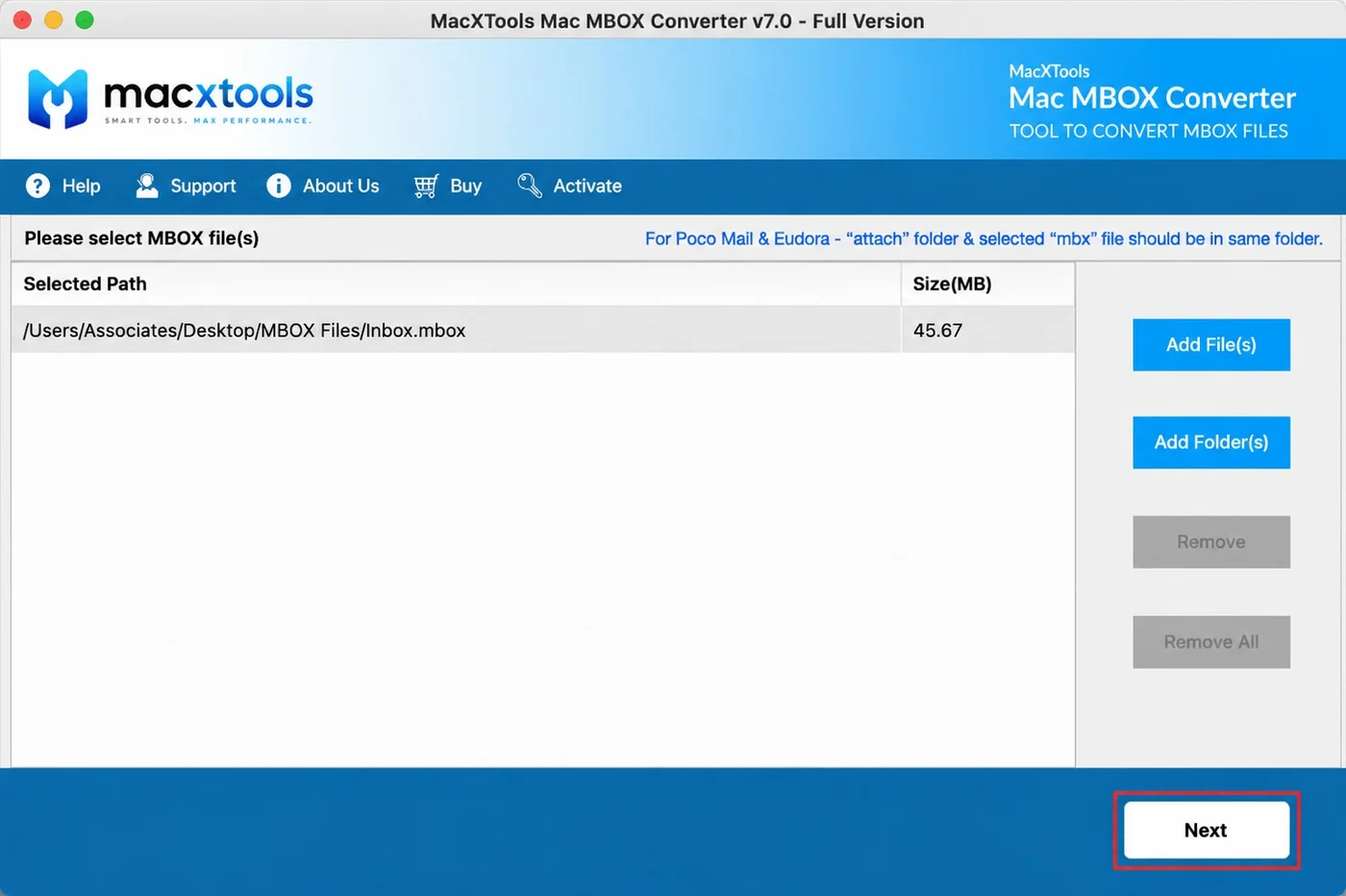
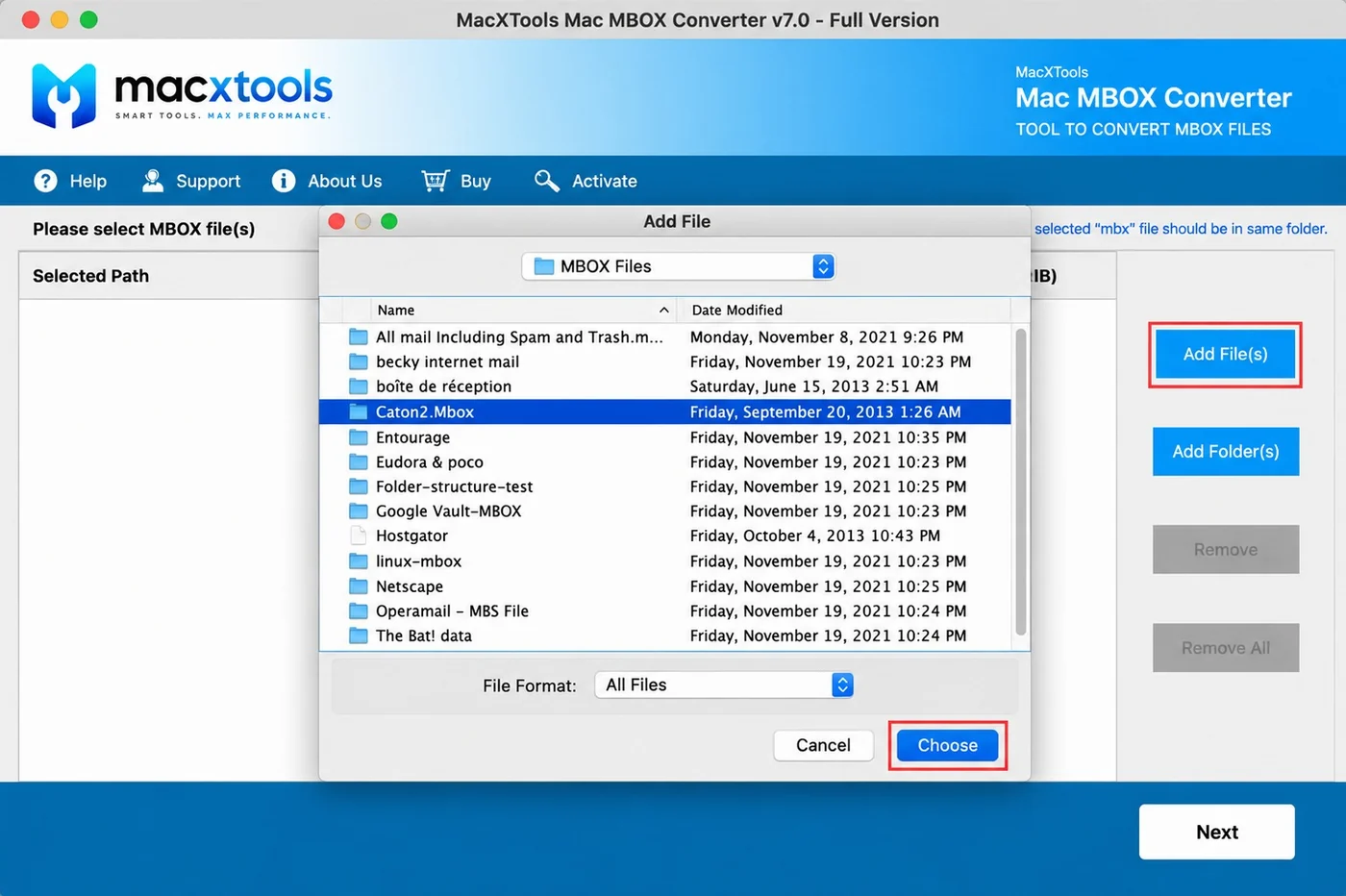
  • Add File(s). Takes one MBOX, MBX or MBS mailbox at a time.
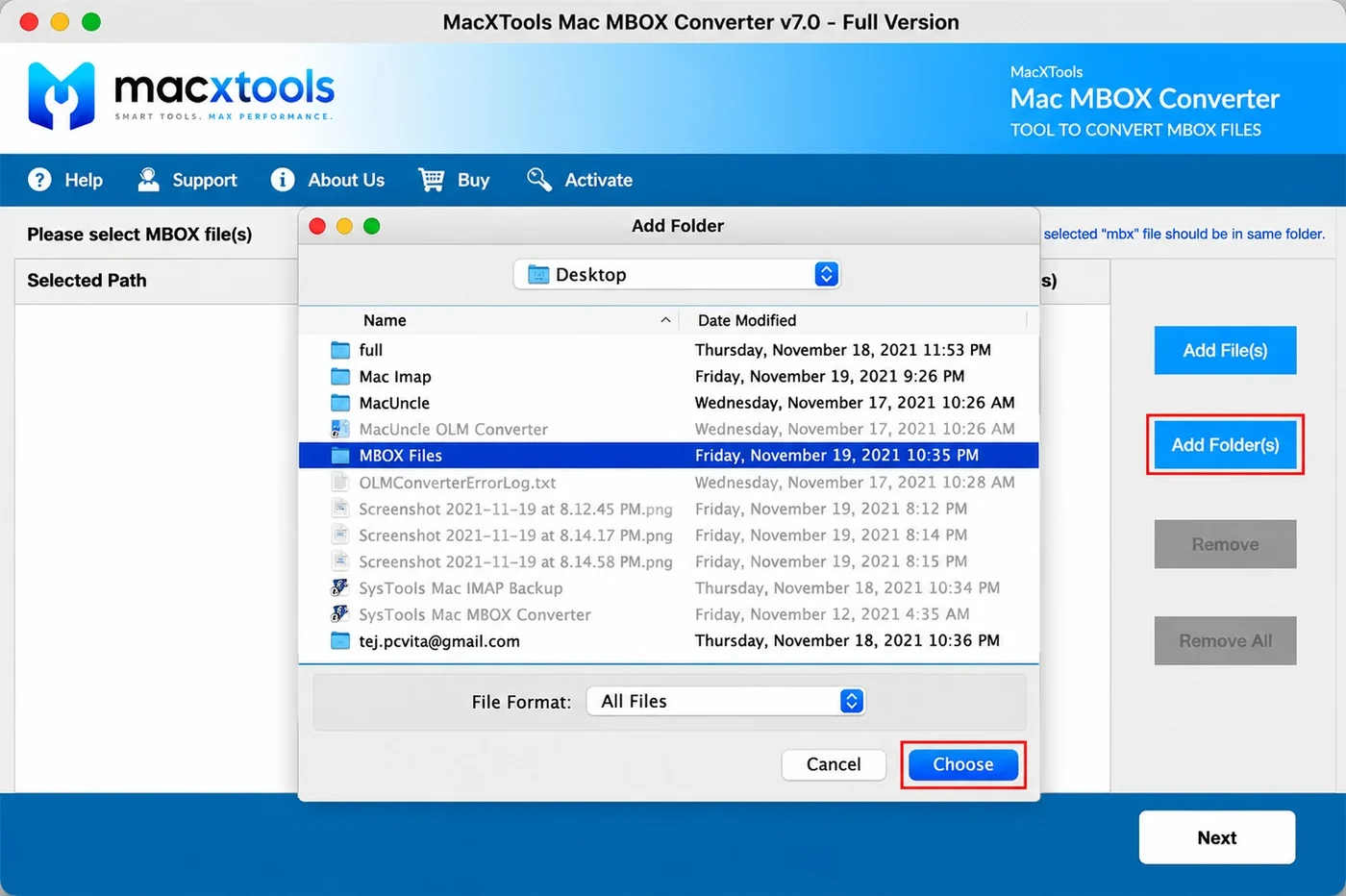
  • Add Folder(s). Takes a directory and collects every mailbox inside it, including those held in nested subfolders.
  • Remove and Remove All. Take a single entry out or empty the list completely. Neither becomes available while the list is still blank.
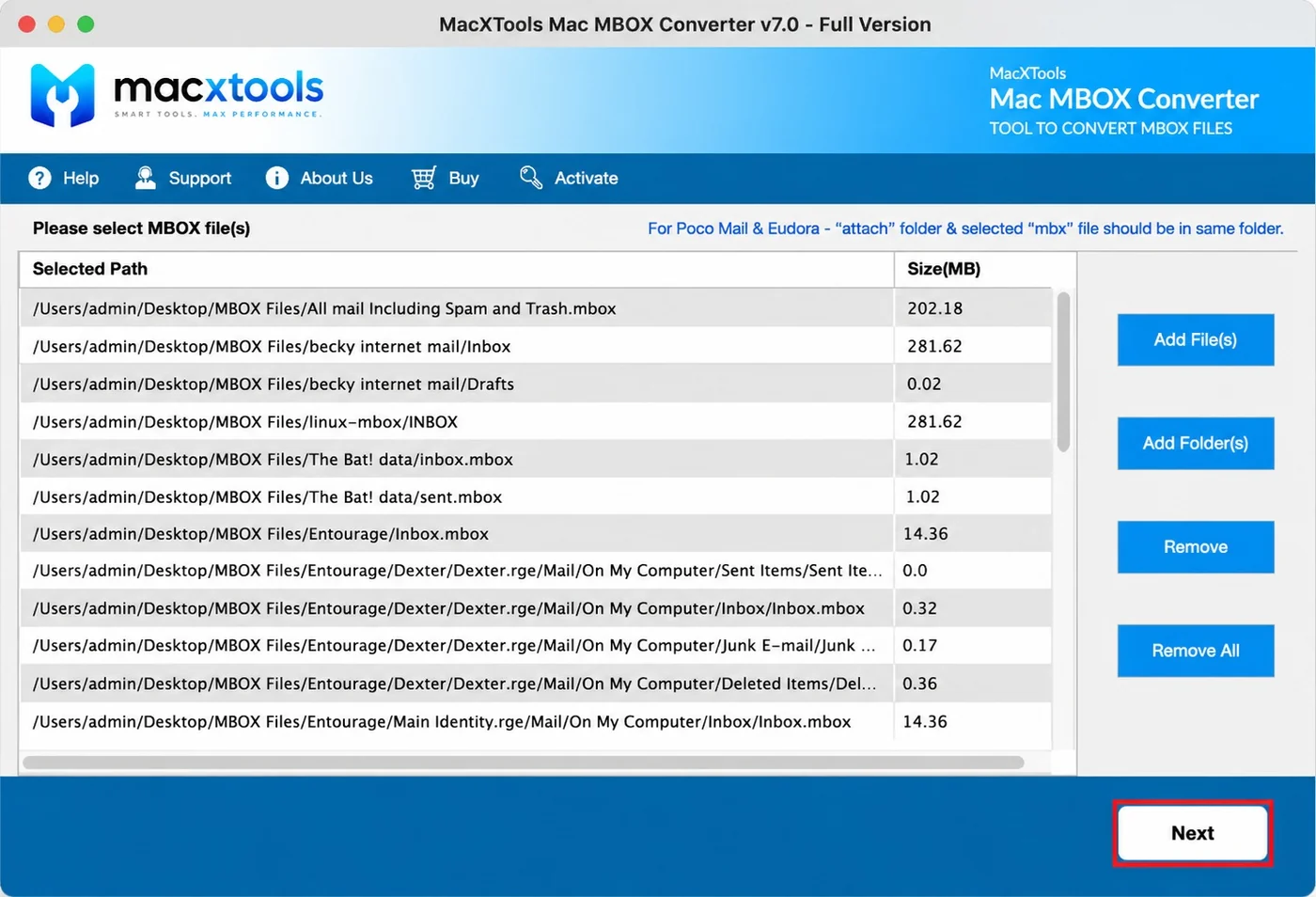
  • Path and size. A Size(MB) reading accompanies each path in the list.
Add Folder picker in the Mac MBOX Converter

Accepts mailboxes with any extension or none

MBOX has no single filename convention, which is why the picker filters on All Files instead of on one extension.

  • All Files filter. A mailbox named Inbox with nothing after it is listed alongside one named Inbox.mbox.
  • Five variants. MBOX, MBX, MBS, SBD and MSF are recognised through the same dialogue.
  • Client folders. Directories written by different applications are listed side by side and taken in the same pass.
  • Attach folder. Eudora and PocoMail keep attachments beside the mailbox, so that folder travels with the mbx file.
File Format set to All Files in the Mac MBOX Converter picker

Reports every mailbox found and its size

Everything taken in is reported back with the numbers needed to judge the batch before Next is pressed.

  • Selected Path. Full nested paths keep several mailboxes called Inbox separable from one another.
  • Size(MB). Readings of 0.02 MB and 281 MB appear side by side in the same batch, both visible ahead of the export.
  • Scrollable list. Dozens of mailboxes drawn out of one directory remain reviewable from top to bottom.
Load list of nested mailbox paths with sizes in the Mac MBOX Converter
Saving options

Mac MBOX Converter saving options

Ten output types plus Print, covering mailbox containers, individual message files, readable documents and structured data.

FormatOpened byThe case for it
PSTMicrosoft Outlook on Windows and on MacAn Apple Mail or Thunderbird mailbox has to become a working Outlook data file
PDFPreview, Acrobat, any document systemMessages become paginated documents for filing, review or printing
EMLThunderbird, eM Client, most desktop clientsOne file per message, which a script or an indexer can process
EMLXApple MailThe destination is the Apple Mail store on a Mac rather than an import dialogue
MSGOutlook and Exchange mailboxesIndividual messages stay openable in Outlook with no import step first
HTMLAny web browserThe recipient reads the mail with no client installed and nothing to install
MHTAny web browserImages travel inside the file rather than beside it in a folder
TXTAny text editorPlain text is what an indexer, a script or a search tool works with
CSVNumbers, Excel, any importerMessage fields are wanted as rows rather than the messages themselves
JSONAny language or data pipelineThe mail is feeding an application rather than a person
PrintA printer or print to PDFA few messages are wanted on paper with no file kept afterwards
What this build does not write

Output is written to disk in every case. Uploading straight into a Gmail, Office 365, Yahoo Mail or IMAP account is outside what this build does, although a number of competing products advertise it, so the specification deserves a check before any purchase. Reaching Outlook or the Microsoft import service means going through PST.

Users

Who uses the Mac MBOX Converter tool

Six buyer types and the part of the software each one depends on.

IT administrators

Depends on the folder walk. A profile directory holds mailboxes several levels down inside SBD folders. Pointing at the top of it collects them all without any of them being named.

Migration teams

Depends on variant coverage. One handover commonly mixes MBOX, MBX and MBS because it came off several machines. All three enter through the same dialogue.

Legal and eDiscovery teams

Depends on the PDF output and the header block. Mail leaves the mailbox as paginated documents with routing detail written underneath, which is what a reviewer works from.

Archiving and compliance

Depends on the CSV log. Counts and status are recorded for every mailbox processed, which answers the question of what was handled long after the conversion itself.

Managed service providers

Depends on Create Single File being switchable. Left off, each mailbox produces its own output, so two clients processed on the same afternoon never end up in one container.

Individual Mac owners

Depends on the file simply opening. A Takeout download or an old Eudora mailbox is added, a format is chosen and the result appears. Nothing has to be configured beforehand.

Free demo version

Each mailbox loaded yields twenty five emails. No format or setting is locked. An unreadable or truncated container therefore declares itself at this stage rather than later.

Use cases

When to use the Mac MBOX Converter

Opening a Google Takeout download

Converts the single large mailbox a Takeout or Google Vault export produces into PDF for reading or PST for Outlook. The archive is complete on arrival but nothing on the Mac opens it as it stands. The four variants that share the extension are covered in what an MBOX file is and which Mac apps use it.

Moving from Apple Mail to Outlook

Converts an Apple Mail or Thunderbird mailbox to PST, the only shape Windows Outlook imports. A split threshold keeps each resulting data file under a workable size. What Apple Mail writes when it exports is covered in what Apple Mail Export Mailbox actually produces.

Producing mail for review

Converts to PDF with the header block written into the output, so routing detail stays readable once messages have left the mailbox for disclosure.

Reading a retired client's mailbox

Converts mail left behind by Eudora, PocoMail, Netscape or Opera Mail without the original application. Those products stopped years ago and their mailboxes did not.

Working guide

How the Mac MBOX Converter works

Add mailboxes or folders

Add File takes one container. Add Folder aims the software at a directory and everything beneath it is collected, nested levels included. Whatever is accepted appears in the table underneath.

Apply filters and settings

A From and To date restricts the export to one window. Folders that are not wanted come out of the tree. Merge behaviour, the PST split size and the naming pattern all live under Advance Settings.

Select a format and export

Choose from the ten output types, nominate where the result goes, then begin. A CSV log carrying counts and status is written once the export completes.

Specifications

Mac MBOX Converter specifications

What the machine needs, plus the five mailbox variants this MBOX converter software opens.

Name
MacXTools MBOX Converter
Version
v10.0
File size
158 MB
Licence
One time purchase, no subscription
Trial limit
25 emails from every MBOX file loaded
Disk space
200 MB free
RAM
4 GB
Processor
Apple Silicon or Intel
Platforms
macOS 12 Monterey, 13 Ventura, 14 Sonoma and 15 Sequoia
Reads
MBOX, MBX, MBS, SBD and MSF, with a file extension or without one
Prerequisite
A Java runtime. Where it is missing the application reports it on launch
Installation

Installation and first run

Three known causes with a fixed answer each. None needs a support ticket.

01

Java Runtime error on launch

A Java runtime appears in the prerequisites for this build. With none installed the application says so at startup and goes no further. Putting the runtime on the machine resolves it. A Mac that has never needed Java before is the usual place this comes up.

02

Attachments missing from Eudora or PocoMail output

Those two applications store attachments outside the mailbox in a folder named attach. The load screen carries a standing notice about it. Keep that folder beside the selected mbx file. Moving the mbx on its own leaves the references pointing at files that are no longer there.

03

Only MSF files are present

An MSF is a Mail Summary File holding headers and an index with no message bodies. Where a handover contains nothing else, the mail has not been supplied. The extensionless MBOX files alongside are what the software needs.

FAQ

MBOX converter for Mac questions

My MBOX file has no extension at all. Will it still work?

Yes. Thunderbird writes a mailbox with no extension while Apple Mail adds .mbox to the folder it exports. Both are the same container underneath. The file picker is set to All Files rather than to a single extension for exactly this reason, so a mailbox named Inbox with nothing after it loads the same as one named Inbox.mbox.

Which email clients does this MBOX converter cover?

More than twenty. Apple Mail, Thunderbird, Entourage, Eudora, PocoMail, Postbox, SeaMonkey, Opera Mail, Netscape, Evolution, Claws Mail and The Bat! among them, plus Google Takeout and Google Vault downloads.

The client that made this file is gone. Does that matter?

No. This is a standalone Mac MBOX converter tool. A mailbox from a machine scrapped years ago opens the same way, because the software reads the container rather than asking the original application to hand the mail over.

How much does the trial version do?

Twenty five emails from every MBOX loaded. Every format and every setting is available, so the output at that stage matches what a paid licence produces. A truncated or unreadable mailbox shows itself here rather than after purchase.

What happens to attachments from Eudora or PocoMail?

Those two store attachments outside the mailbox, in a folder named attach. Keep that folder beside the selected mbx file and the attachments come across. Move the mbx on its own and they will not, since the references inside it point at files that are no longer there.

I only have MSF files. Where is the mail?

Not in them. An MSF is a Mail Summary File holding headers and an index with no message bodies. The mail is held in the extensionless MBOX files alongside. Those are what the software needs.

Can several mailboxes end up in one output file?

Yes, through the Create Single File option. Switched off, every input produces its own output file, which suits a batch where the mail belongs to several different people.

Does it modify the source mailbox?

No. Reading is all it does to the source. Output goes wherever you nominate and the original keeps its bytes and its modified date, which is checkable with a digest taken either side of the conversion.

How large a mailbox can it take?

No cap is stated on the size of a mailbox or on how many are converted at once. A Takeout download running to several gigabytes takes longer to process and nothing more.

Can a converted mailbox be uploaded to Gmail or Office 365 directly?

No. Conversion ends with a file on disk. Putting that file into a live account is a separate action you take afterwards. Outlook and the Microsoft import service both accept PST, which is why that format is the usual route. Software advertising a single click upload is still doing these two things one after the other.

Does this run on Windows too?

Not this build. The MBOX converter for Mac is macOS only. Where the mailbox already lives on a Windows machine, converting it there avoids an unnecessary copy across.
Download the Mac MBOX Converter

Twenty five emails per mailbox establish two things. The first is that the MBOX converter for Mac opens the container. The second is that the output behaves at the far end. Nothing is locked in the demo, so its result matches what a full licence produces.

MBOX Converter$39.00 one time · 30 day refund Buy Download trial