Which data does Google Workspace backup software cover?
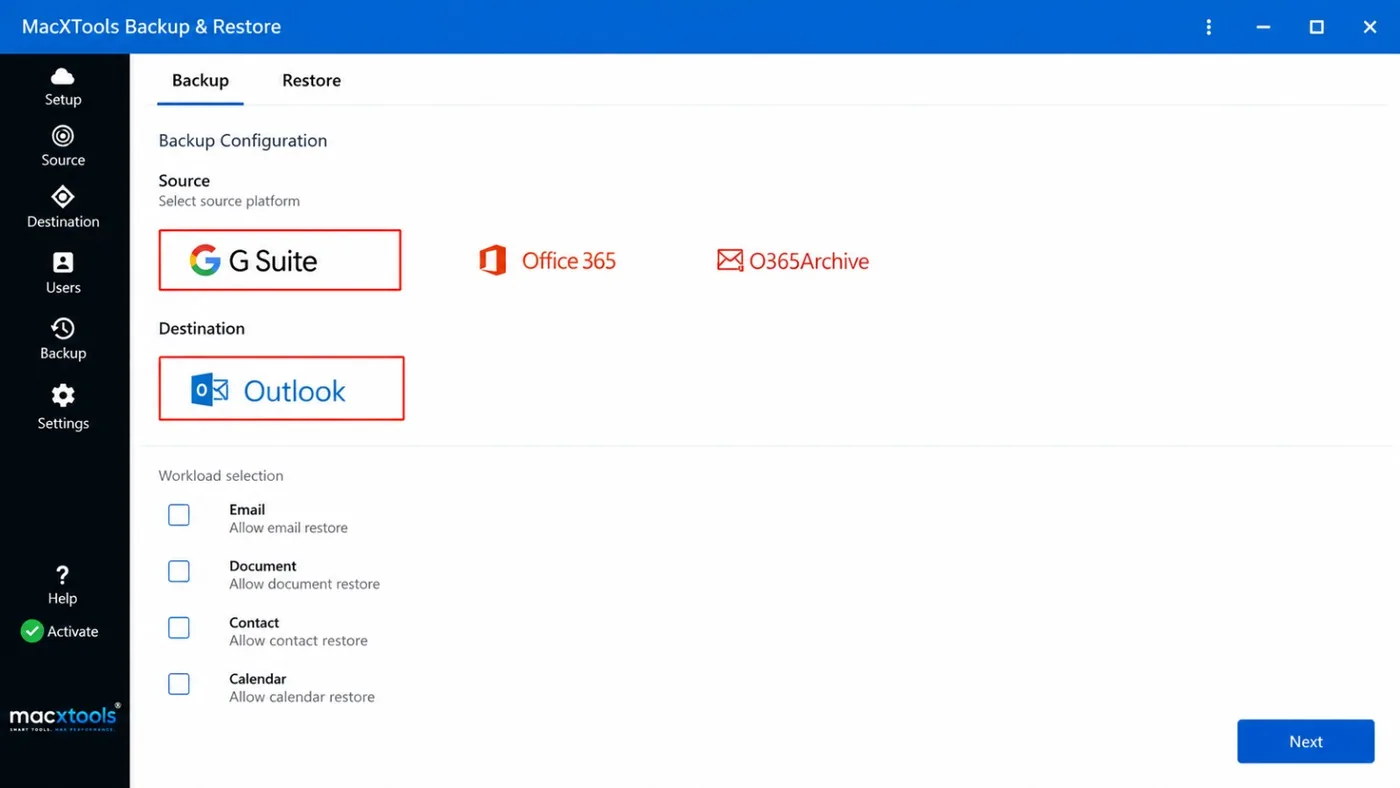
Four workloads: Email, Document, Contact and Calendar. A checkbox for every workload on the Setup screen includes or leaves out that data.
What does Google Workspace backup software need to sign in?
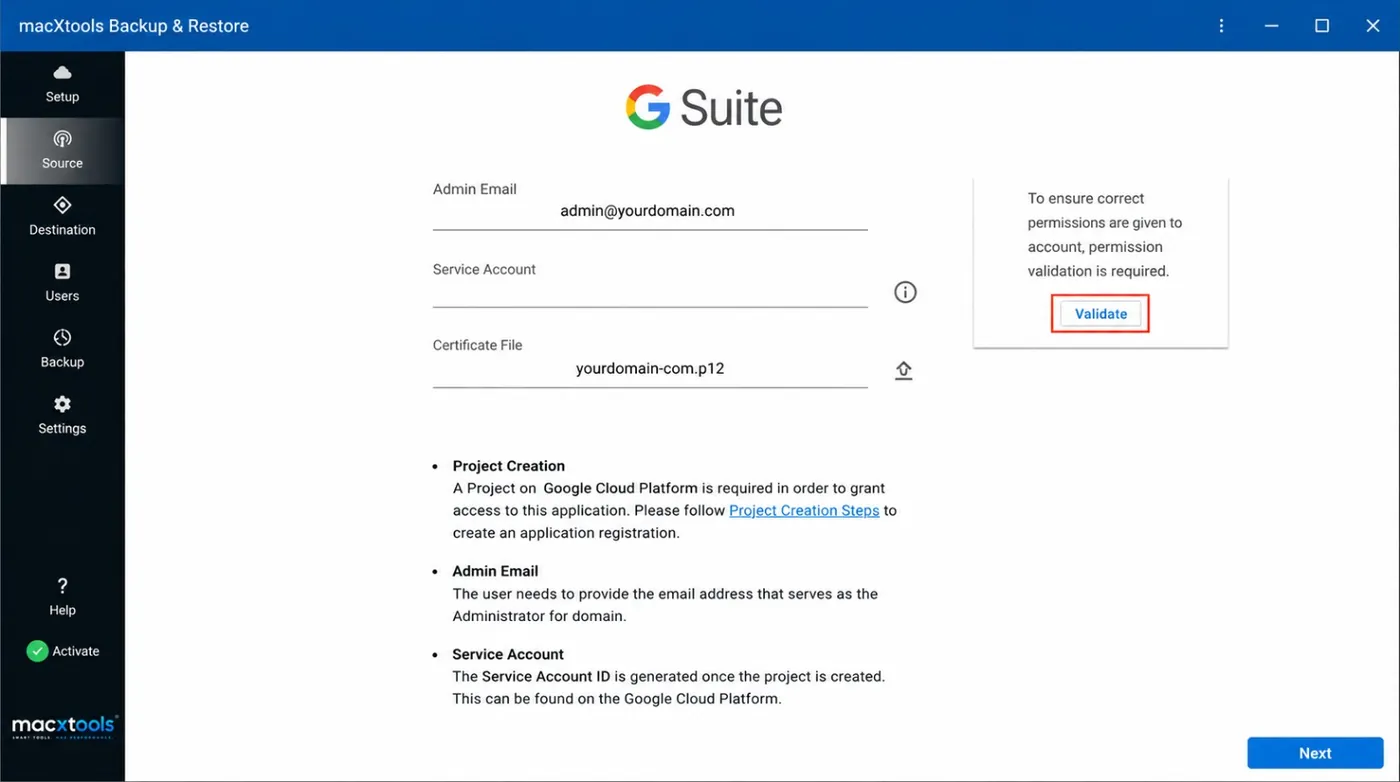
An Admin Email, a Service Account and a Certificate File in .p12 form. A project on Google Cloud Platform creates the Service Account. Validate checks the permissions.
Can the Google Workspace backup tool for Mac back up many users?
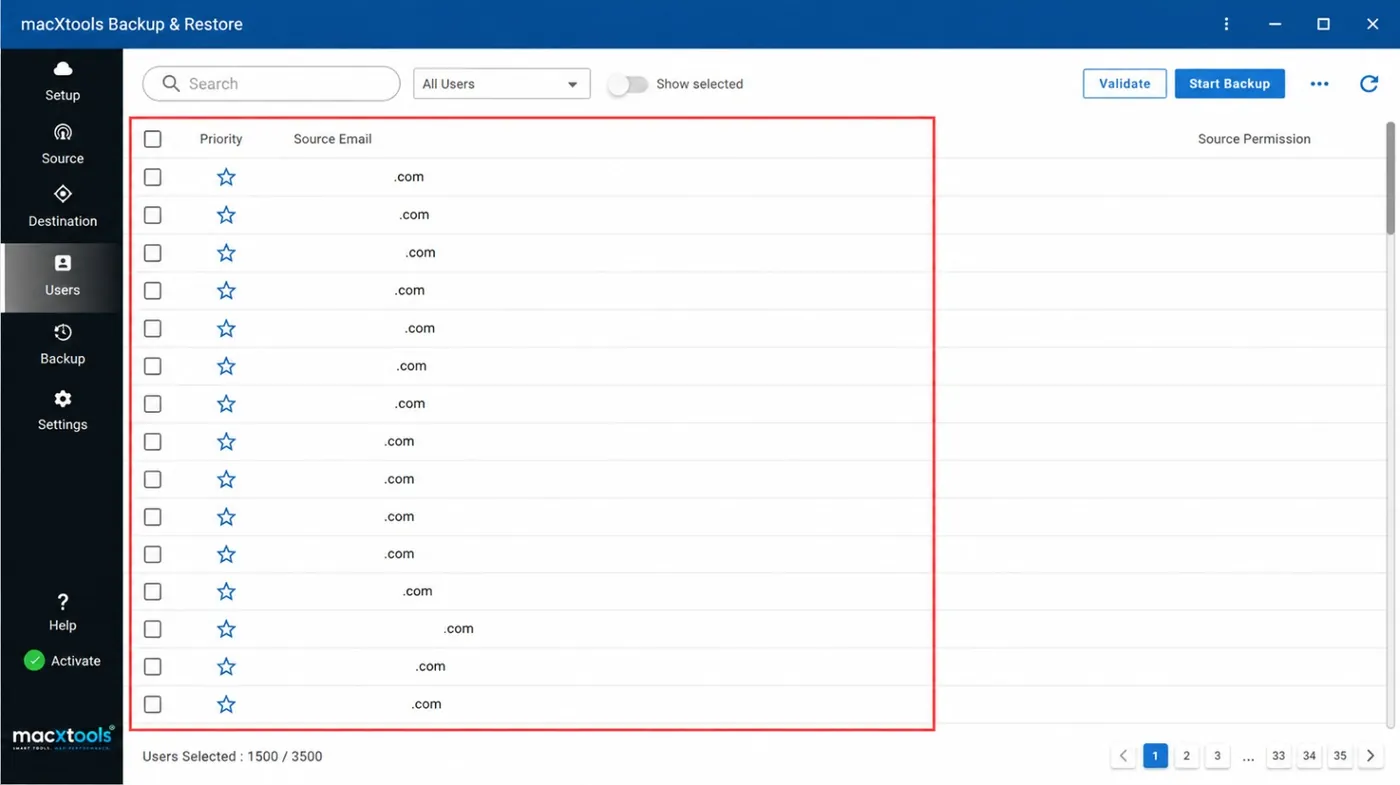
Yes. The Users screen lists domain users in pages and counts the users selected. Import Users adds a list from a CSV file.
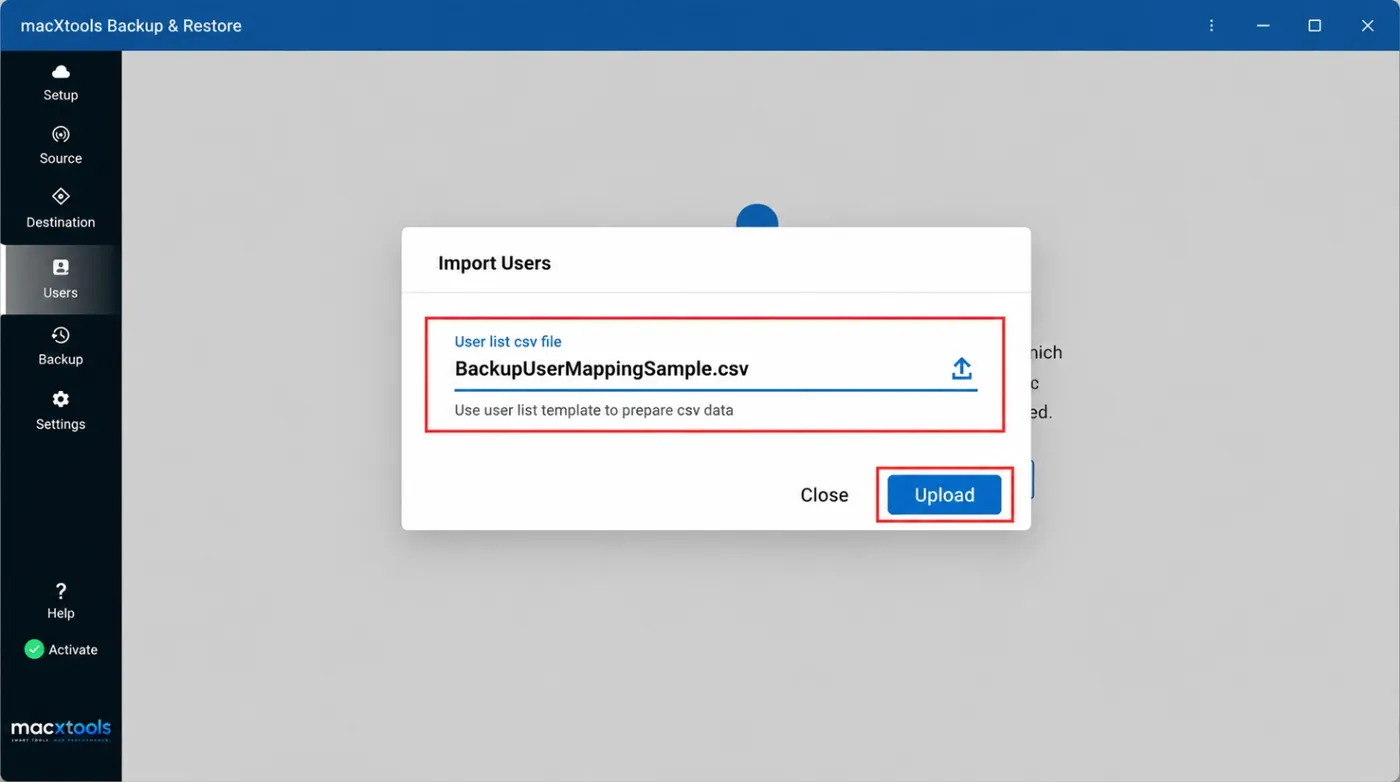
How does the CSV import work in Google Workspace backup software?
Import Users opens a dialog for the user list csv file. The text under the field points to the user list template. Upload reads the file.
Can Google Workspace backup software back up selected users only?
Yes. A checkbox in front of a user includes that user. The Show selected toggle limits the list to the users ticked.
Which destination does Google Workspace backup software offer?
Outlook. The Setup screen lists Outlook as the destination platform.
What are the Re-Run Backup options in the Google Workspace backup tool for Mac?
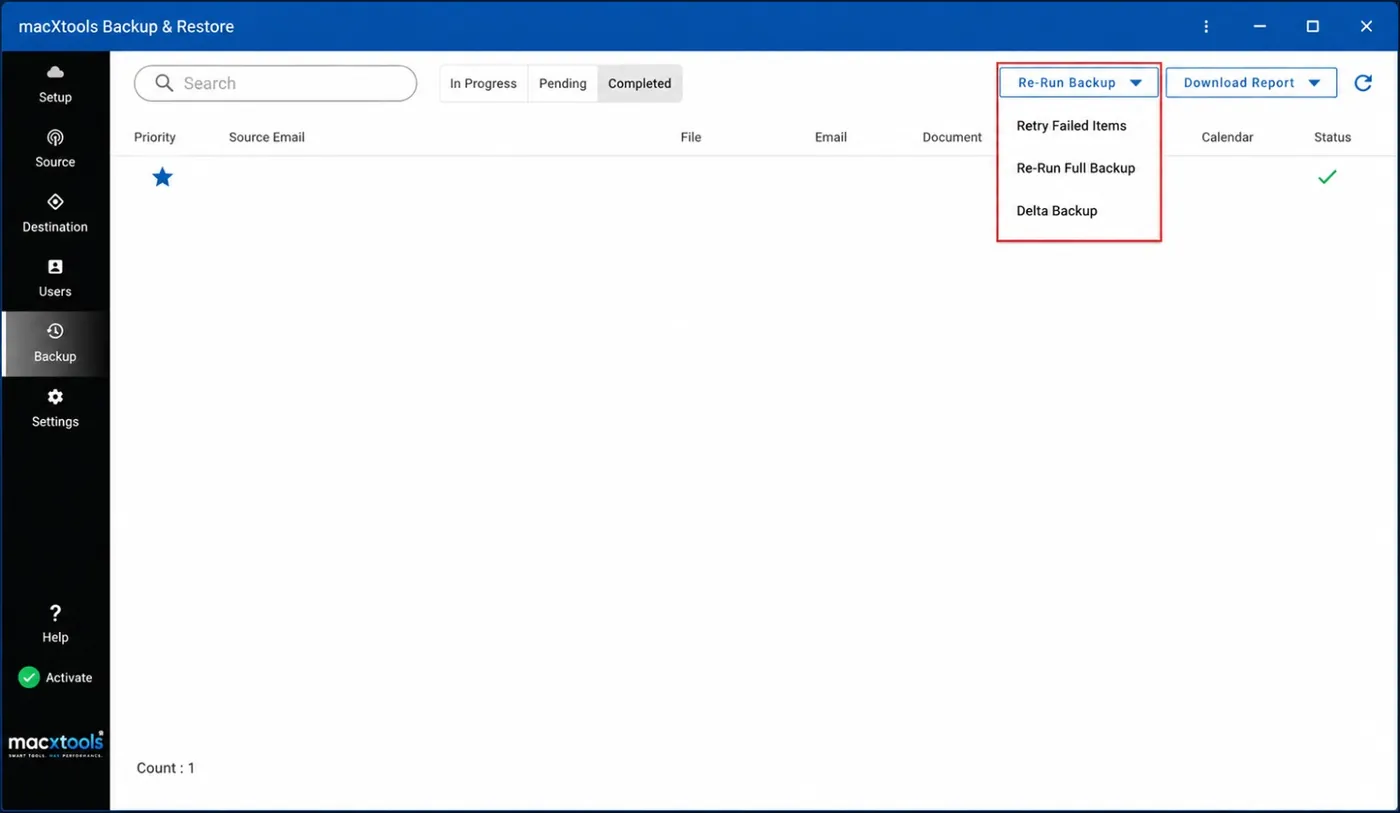
Three: Retry Failed Items, Re-Run Full Backup and Delta Backup. The menu is on the Backup screen.
How does Google Workspace backup software show the backup status?
The Backup screen groups users under In Progress, Pending and Completed. Workload columns and a Status column follow every user.
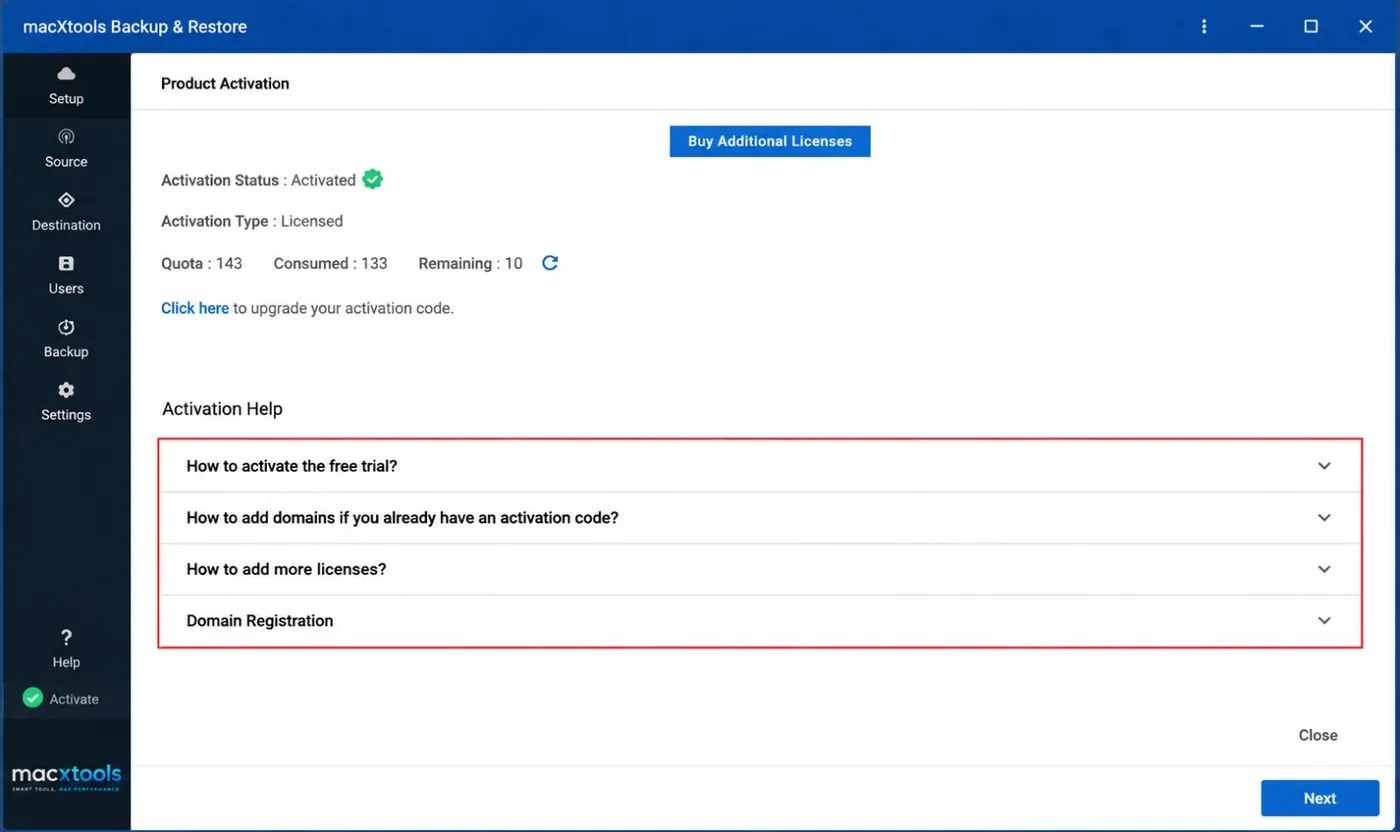
What does the free trial of the Google Workspace backup tool include?
The trial limit is listed in the product guide. The full version costs $25.00 with a 30 day refund.
Which macOS versions does the Google Workspace backup tool for Mac support?
macOS 12 and later, on Apple Silicon and Intel Macs.